
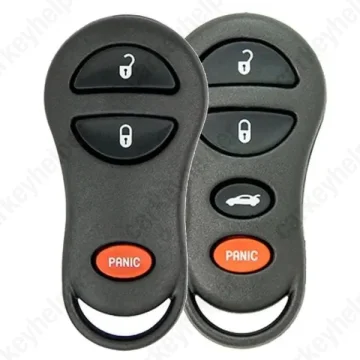
Dodge Intrepid 2004 Remote
Chrysler Remote GQ43VT9T
Overview
Key Type
Remote
Markets
USA
Frequency
315 MHz
Battery
CR2032
Transponder Cloning
No
Skill Level
Beginner
Universal Keys
KeyDiy GQ43VT9T: ID R00612
Test passed
Xhorse GQ43VT9T: ID 0534 430
Test passed
Original Keys
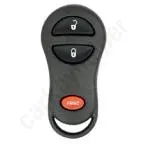
GQ43VT9T 315MHz 3Buttons: 56045497AC, 56045497 AC, 56045497AB, 56045497AA
Direct Programming to another vehicle
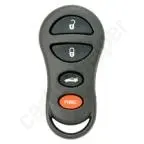
GQ43VT9T 315MHz 4Buttons: 04602268, 04602268AA, 04602268AB, 04602268AC, 04759008
Direct Programming to another vehicle
Overview
Add key
Not specified
All keys lost
OBD
Prepare dealer key
No
Remote programming
Manual
All keys erased automatically
Yes
Power supply
Recommended (if under 11.5V)
Additional cables required
No
Key Programming via OBD
General Instructions
- Most of the time, the remote can be programmed manually when you have one working key.
- If there is no working key, then programming with diagnostics.
- Transponder system was optional on these vehicles
- For many devices, the remote programming cannot be found under the model, but it may be available under the type selection.
Remote Manual Programming
You must have one remote already programmed/working. If you don’t, you’ll have to program remote via diagnostics.
Procedure 1
- Insert key into ignition, turn to ON (don’t start).
- Press & hold UNLOCK on a working remote for 4-10 seconds.
- While holding UNLOCK, press PANIC for 1 second, then release both together. A chime should sound within ~3 seconds, showing it’s in programming mode.
- Press ANY button on the working remote so the system recognizes it. Do that within 30 seconds of the chime.
- Within 30 seconds, press any button on the new remote to program that one in.
- Repeat step 5 if more remotes.
- Turn ignition OFF and remove key.
- Test all remotes.
Procedure 2
- Insert key into ignition, turn to ON (don’t start).
- Press & hold UNLOCK on a working remote for 4-10 seconds.
- While holding UNLOCK, press PANIC for 1 second, then release both together. A chime should sound within ~3 seconds, showing it’s in programming mode.
- Press LOCK and UNLOCK buttons same time any button on the working remote so the system recognizes it.
- Press UNLOCK button in the same remote.
- Repeat step 4-5 if more remotes.
- Turn ignition OFF and remove key.
- Test all remotes.
Programmers
Smart Pro
Remote Programming
SBB
Remote Programming
Autel
Not supported
TDB1000
Not supported
Xhorse
Not supported
Lonsdor K518 PRO
Not supported
Overview
Double locked
Not specified
Opening direction (LHD)
Not specified
Decoder capability
Not specified
Overview
Original key glued
No
Synchronizing
No
Repair Instructions
- Separate remotes do not house immobilizer chips.
- There is no need to synchronize or reprogram the key after replacing the battery.
Media

Chrysler etc. separate remote fix
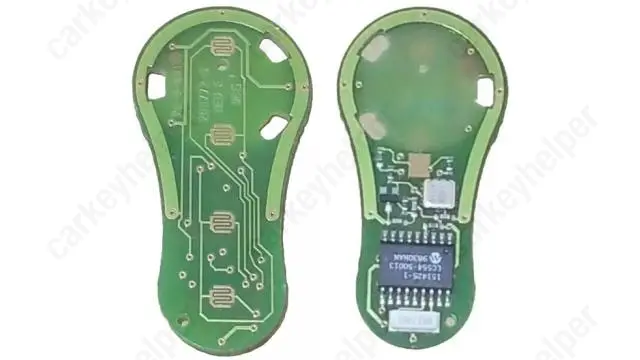
Circuitboard
GQ43VT9T PCB